

Why Your Social Media Images Look Blurry (and the Right Sizes to Fix It)
If you’ve ever uploaded an image thinking “This looks perfect”…
only to see it appear blurry, cropped, or compressed on social media — you’re not alone.
As business owners, especially founder-led brands, we’re juggling a lot. We design posts late at night, reuse graphics across platforms, and hope they “just work.” But between different platforms, formats, and ad placements, image sizing can quickly get confusing.
And when visuals don’t look sharp, it doesn’t just affect aesthetics — it affects credibility, engagement, and performance, especially in ads.
Let’s simplify this.
Why Image Size Matters More Than You Think
Blurry or poorly sized images can:
Make your brand look unpolished
Lower engagement on social posts
Reduce click-through rates on ads
Cause platforms like Facebook and Instagram to heavily compress your images
The good news?
Most of this is easily fixable by using the right dimensions from the start.
Below is a simple breakdown you can save and reuse.
Best Image Sizes for Social Media
These sizes are optimized for clarity, mobile viewing, and minimal compression.
Social Media Image Size Guide
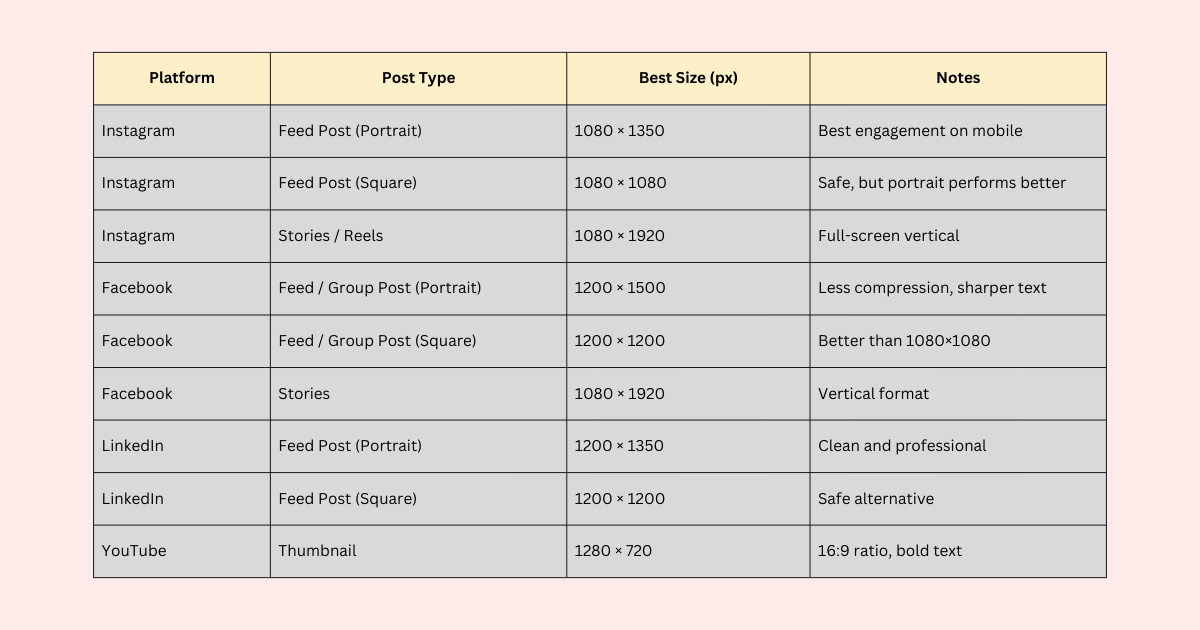
Social Media Image Size Guide
Tip:
For text-heavy graphics, portrait sizes perform better and stay sharper across platforms.
Image Sizes for Ads (Meta Ads & Google Ads)
Ads have different requirements — and using the wrong size can hurt performance or cause awkward cropping.
Meta Ads (Facebook & Instagram)
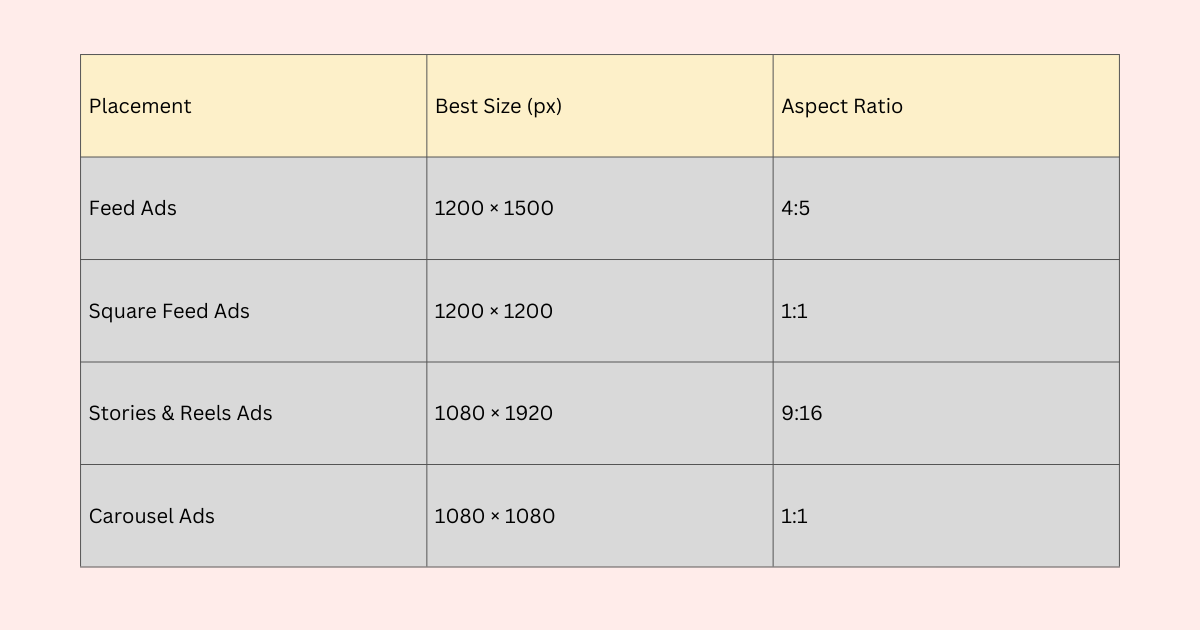
Image Sizes for Ads (Meta Ads & Google Ads)
Pro tip:
Meta compresses images aggressively. Always upload PNG files and avoid tiny text.
Google Ads (Display & YouTube)
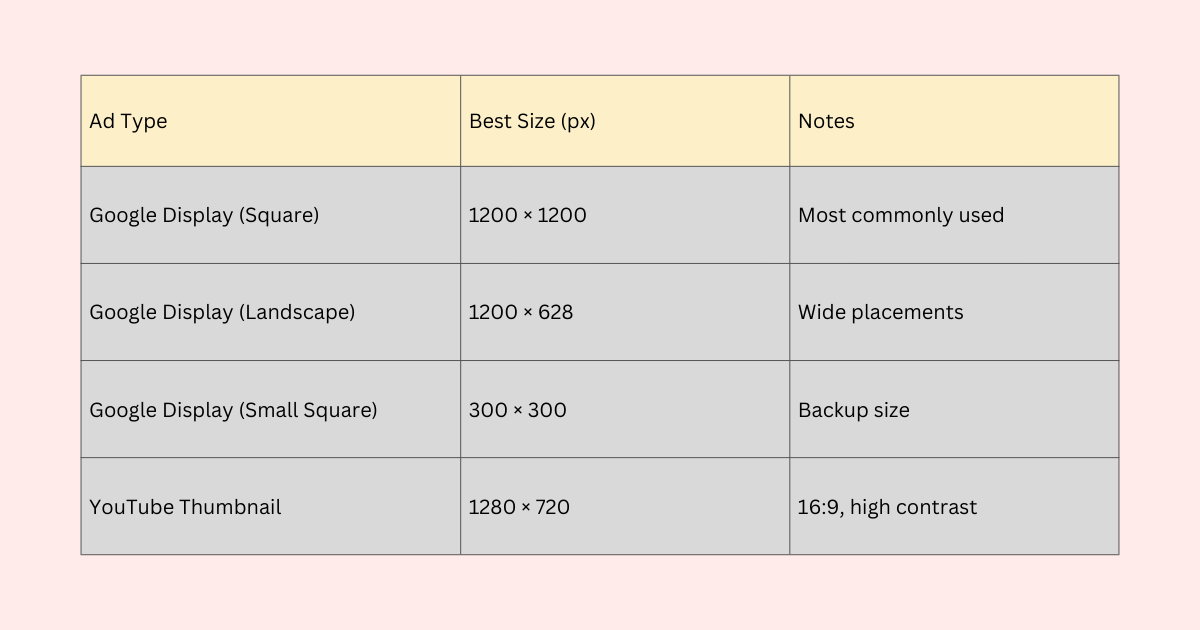
Google Ads (Display & YouTube)
Simple Design Tips to Avoid Blurry Images
Design at the final size (don’t resize after)
Download images as PNG (especially for text)
Use larger fonts than you think you need
Avoid screenshots that are scaled up
Keep important text away from edges (safe zones)
A Gentle Reminder for Business Owners
If image sizes feel overwhelming, it’s not because you’re doing something wrong — it’s because no one teaches this clearly.
Clarity in small things like image sizing creates confidence, saves time, and supports better results — especially when you’re running ads or promoting offers tied directly to your revenue.
You don’t need to do everything perfectly.
You just need the right systems — and the right support.
